100% private · works offline
Track every sip.Build a better you.
DrinkTick is a hydration tracker that stays out of your way. Log a drink in two taps, keep your streak alive, and understand your habits, without an account, without the cloud, and without anyone watching.
Free to use No sign-up No ads No trackers Health Connect ready
Inside the app
Hydration tracking that respects your time
Every screen is built around one idea: log the drink and get back to your day.
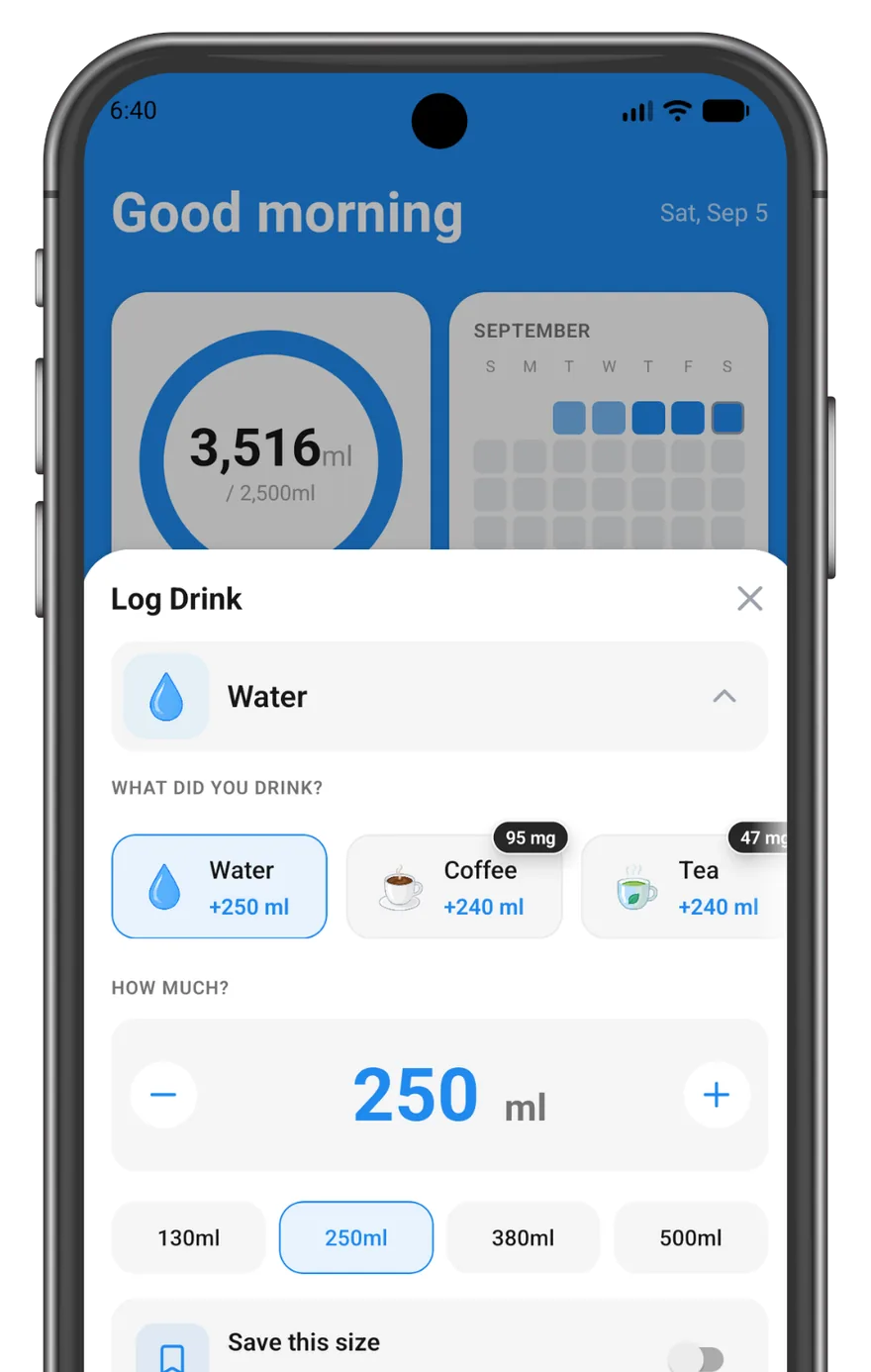
Log a drink in two taps
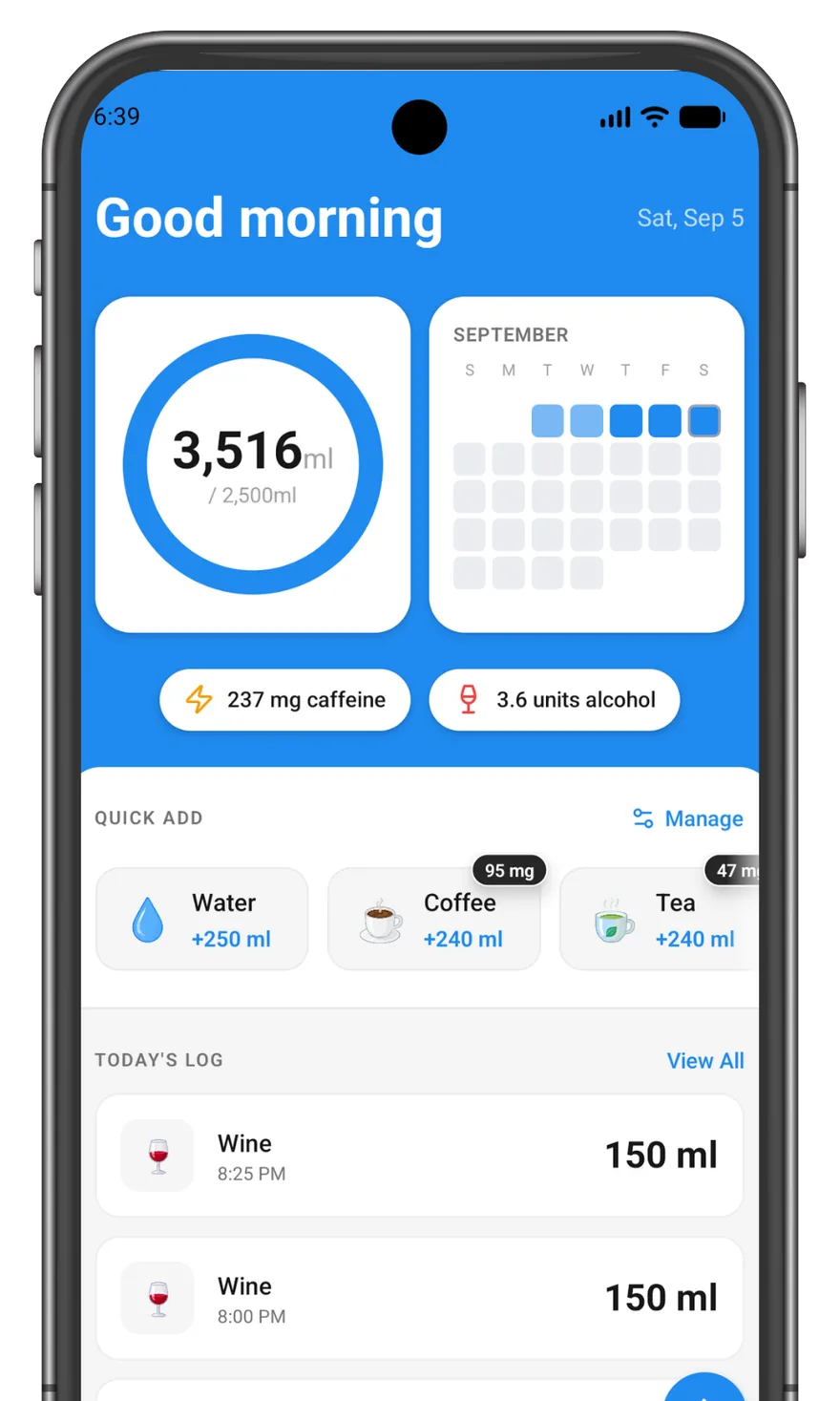
Your most-used drinks sit on the Today screen as Quick Add tiles, so one tap logs a glass of water and you're done. Need something different? The log sheet opens with a stepper, quick amount chips, and your preset's usual size already filled in.
- Adjust with +/−, or tap a chip like 250 ml
- Up to 12 drinks on your Quick Add row Pro
Know what you actually drink Pro
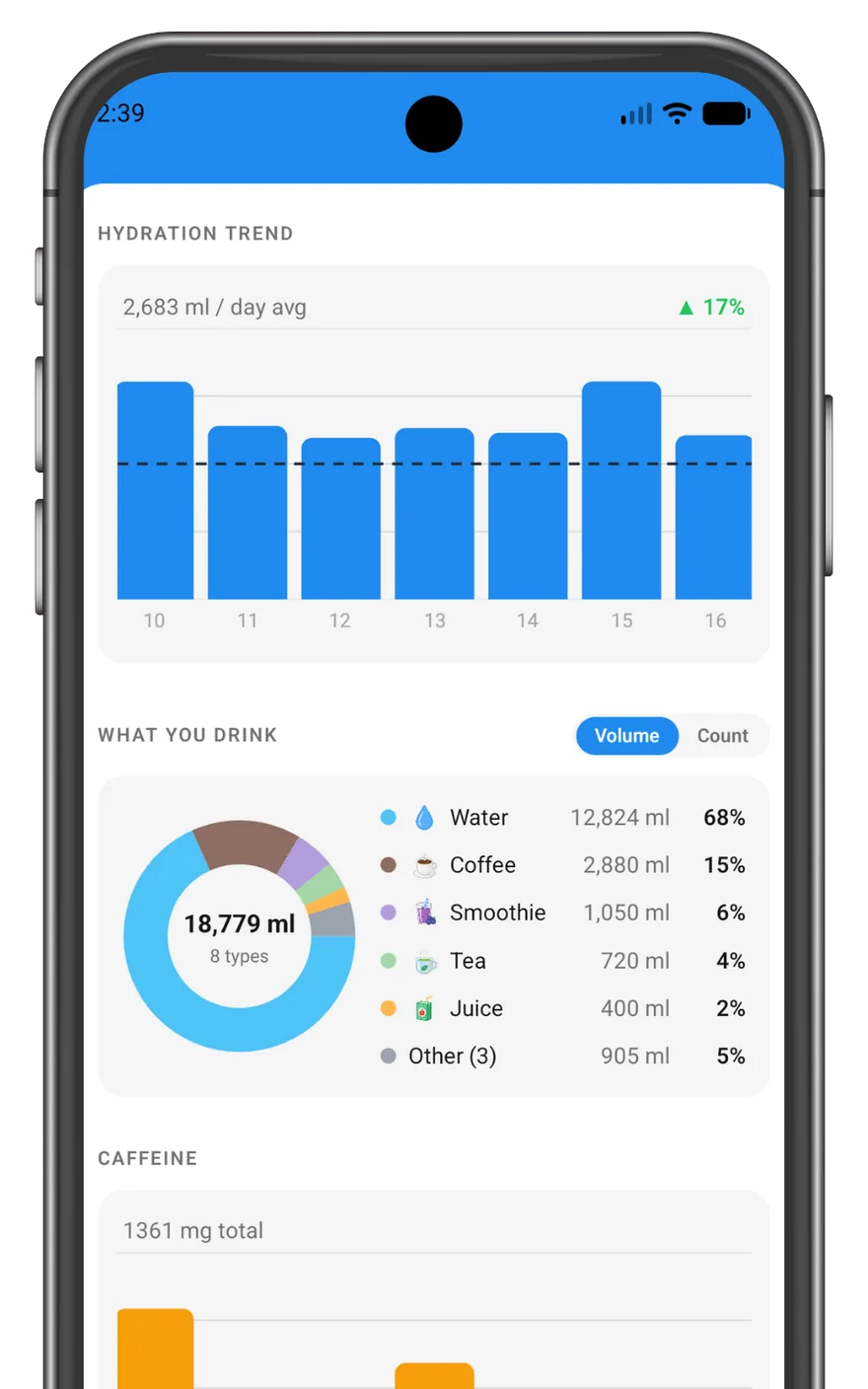
Water isn't the whole story. Track coffee, tea, juice and smoothies, see the split by volume or count, chart your trend against your average, and keep a running total of your caffeine.
Backdate anything
Forgot this morning's glass? Log it at the time it actually happened, or scroll back and fix any past day.
Millilitres or ounces
Pick the unit you think in. Every total, goal and chart follows it.
Reminders that fit your day
Optional nudges at the exact times you choose. Three on the free plan, up to twelve with Pro.
A little confetti
Hit your daily goal and the app says so. A small reward, and a surprisingly effective one.
History you can carry Pro
Export everything to a file and import it on a new phone. Your data lives only on your device, so that file is the only copy.
Works with Health Connect Free
Send what you drink to Android's shared health store, so your other health apps can see it. Off until you turn it on, and write-only — DrinkTick never reads anything back.
- Water becomes a hydration record, caffeine a nutrition one
- Start from today, or send your whole history along too
- Edit or delete a drink and its Health Connect entry follows
- Remove my data takes back every entry it wrote
Streaks
Consistency you can actually see
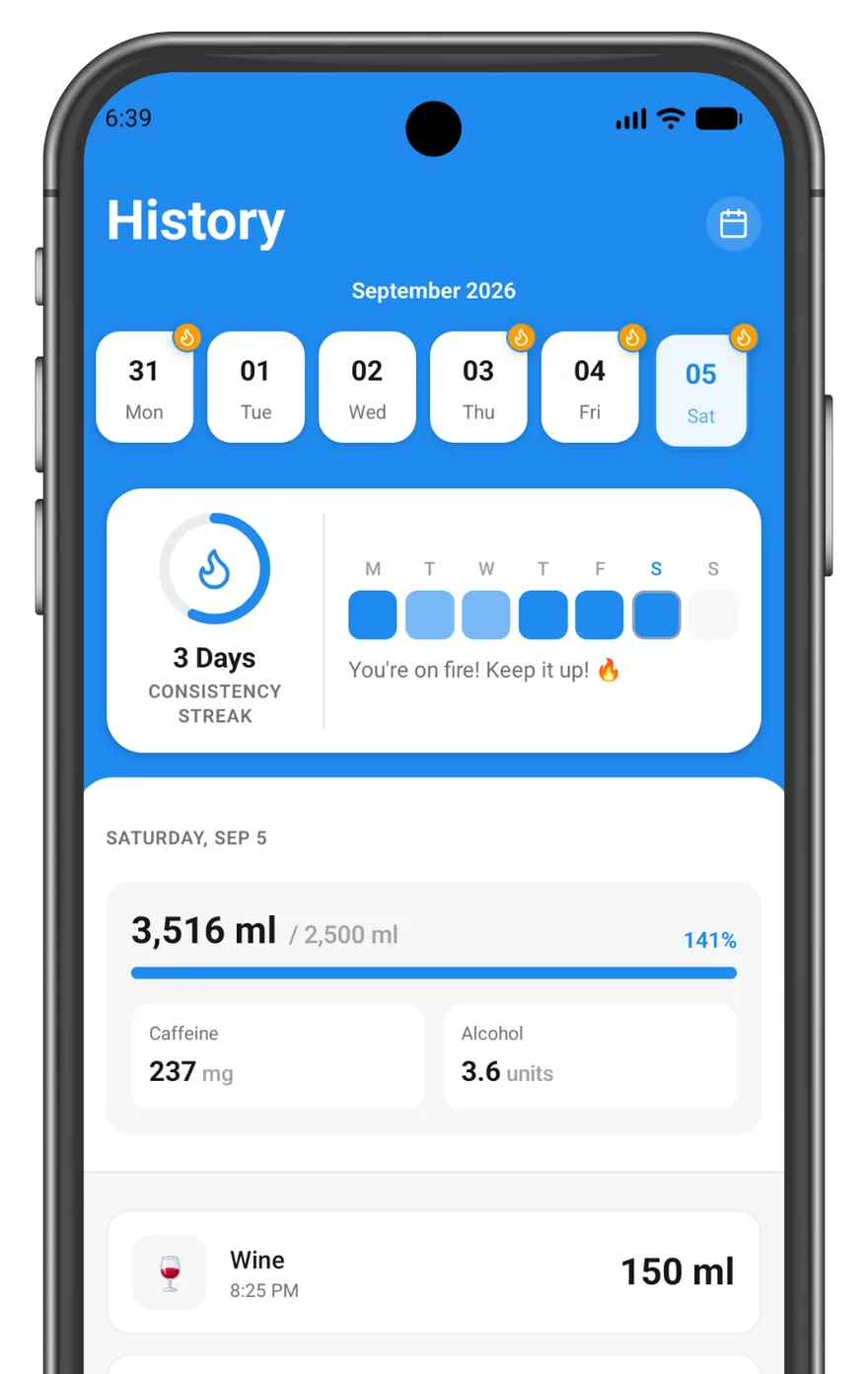
Hitting your goal once is easy. Doing it every day is the point. DrinkTick counts your streak, shows the week at a glance, and fills in a tile for every day you logged, so you can see the run you're protecting.
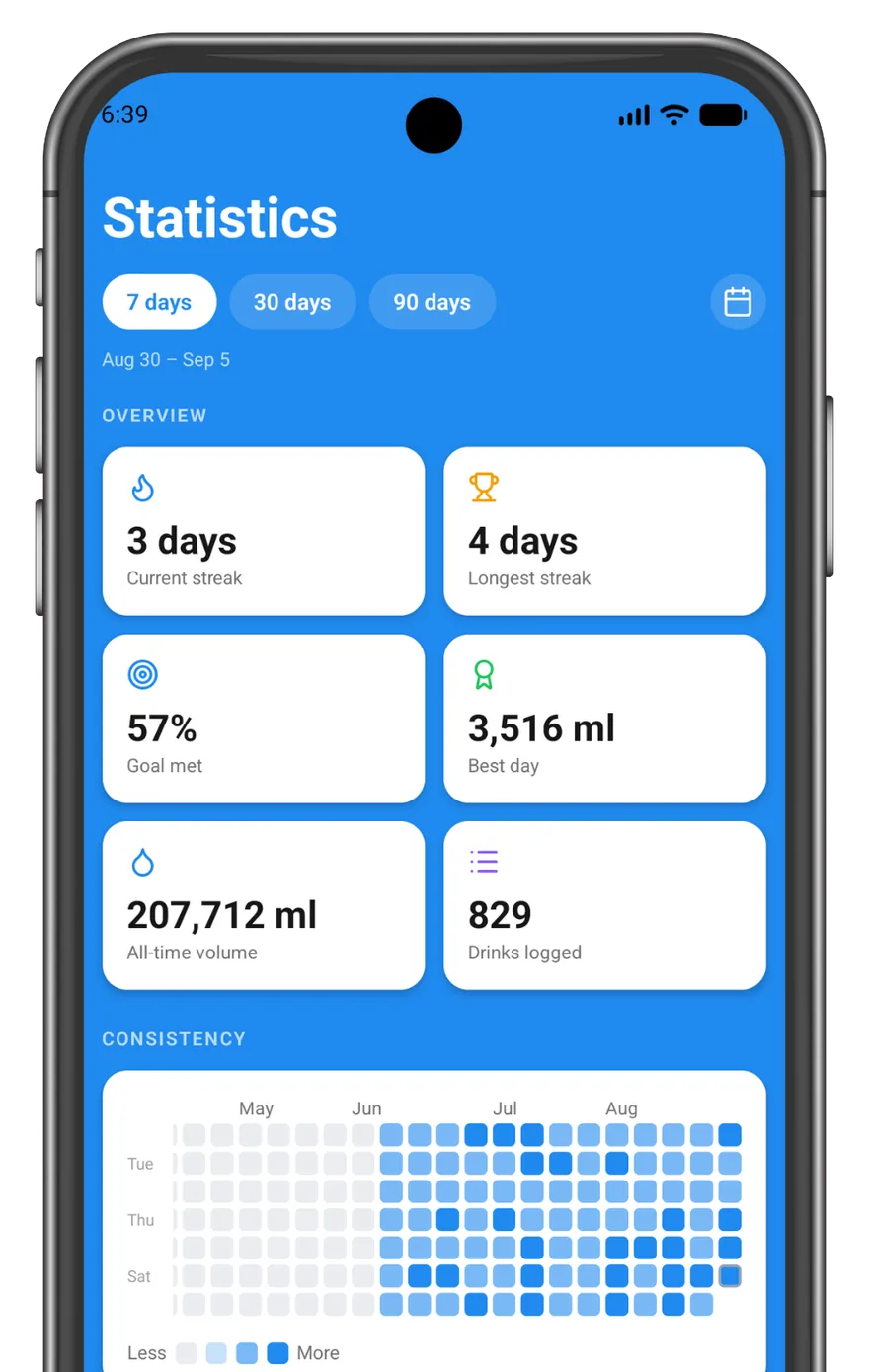
- Streaks, goal-met rate, best day and all-time volume, all free
- 7, 30 and 90 day windows, with custom ranges Pro
- A GitHub-style heatmap of every day you logged Pro
Upgrade
DrinkTick Pro
The free app tracks your water, every day, forever. Pro unlocks the full experience, and helps keep an independent, ad-free app alive.
Any drink
Coffee, juice, beer, plus caffeine & alcohol tracking.
Custom Quick Add
Build your own one-tap list, up to 12 drinks.
Consistency heatmap
See your streaks and habits at a glance.
Custom date ranges
Zoom into any period of your history.
More reminders
Up to 12 daily nudges instead of 3.
Backup & restore
Export your history to a file and import it back anytime.
Pro is available in the app as a subscription or a one-time purchase. Your local price appears in Google Play before you buy, and subscriptions renew automatically until cancelled. Manage or cancel anytime in your Google Play account.
FAQ
Questions, answered
Is DrinkTick free?
Yes. Tracking your water, setting a daily goal, viewing your history and up to three daily reminders are all free, with no time limit and no ads. Pro is an optional upgrade that unlocks non-water drinks, the consistency heatmap, custom date ranges, more reminders, and backup & restore.
Do I need an account or an internet connection?
Neither. There is no sign-up, no login and no cloud. The app works completely offline; the only time it talks to the network at all is when you buy or restore Pro, which goes through Google Play.
What data do you collect about me?
None. DrinkTick has no analytics, no crash reporting, no ad networks and no trackers of any kind. Your drinks, goal and settings are stored in a database on your phone and never sent anywhere. Read the full privacy policy.
How do I move my data to a new phone?
With Pro, use Backup & Restore in your profile to export everything to a file, then import that file on the new device. Because your data only exists on your phone, this export is the only copy, so keep it somewhere safe.
What happens to my data if I uninstall the app?
It's deleted along with the app. There's no server-side copy to recover, so export a backup first if you want to keep your history.
Can DrinkTick track coffee and caffeine?
Yes, with Pro. Every drink carries its own caffeine and alcohol content, and DrinkTick scales it to the amount you logged, so a double espresso counts roughly twice a single. Your daily caffeine total appears on the Today screen.
Does DrinkTick work with Health Connect?
Yes, on Android, and it's free for everyone. Turn it on in Profile → Health Connect and the drinks you log are written out as hydration and caffeine entries your other health apps can read. It is write-only, so DrinkTick can't see your steps, sleep, weight or anything else in there. Alcohol isn't written, because Health Connect has no record type for it. Health Connect is built into Android 14 and later; on Android 13 and below it's a separate app from Google Play. Full detail in the privacy policy.
How do I cancel my subscription?
Subscriptions are managed by Google Play, not by us. Open Profile → Subscription → Manage subscription in the app, or go to the Google Play Store → Payments & subscriptions. Cancelling stops the renewal; Pro stays active until the period you paid for ends.
I bought Pro but it's not showing up.
Tap Restore purchases in Profile → Subscription. It asks Google Play what your account owns and unlocks Pro again, useful on a new phone or after a reinstall. If it still doesn't appear, email us.
Start with your next glass
Free to download, no account to create, and nothing leaves your phone. Small sips, big impact.